AI card grading from a photo
Snap a card and get a PSA-style grade estimate in seconds, with sub-grades and a confidence score. Know which cards are worth submitting before you pay.
Free plan includes 5 scans a month.
From a photo to a grade estimate.
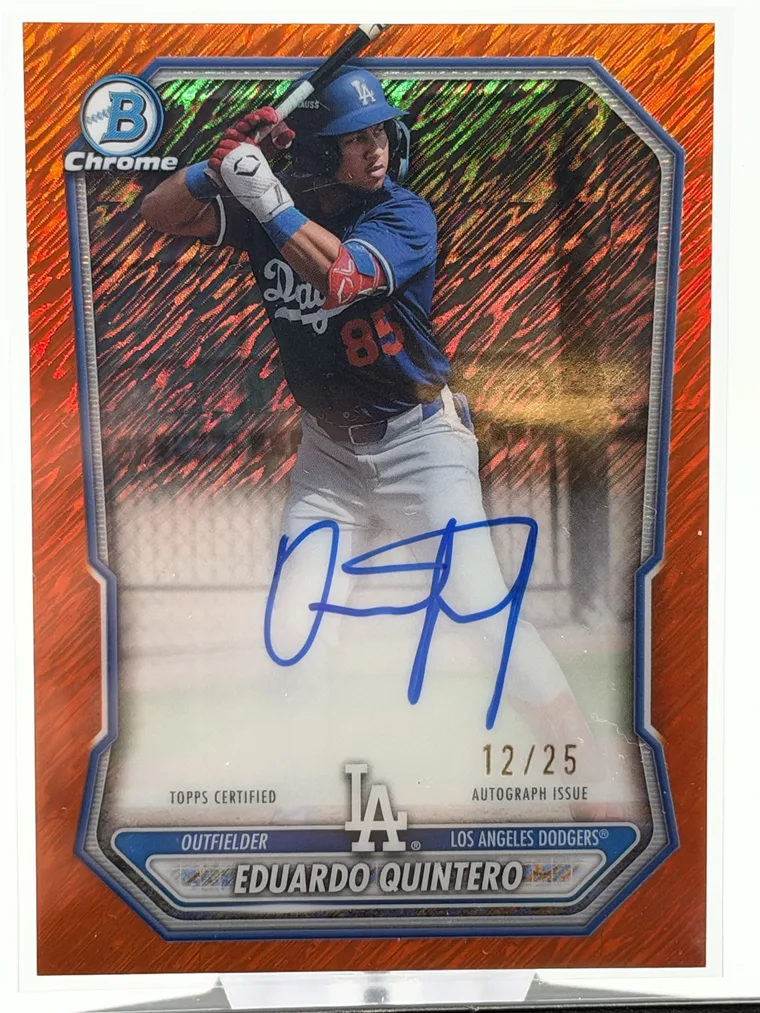
Shot raw. A Bowman Chrome Eduardo Quintero orange autograph /25 in a top loader, photographed on a phone.
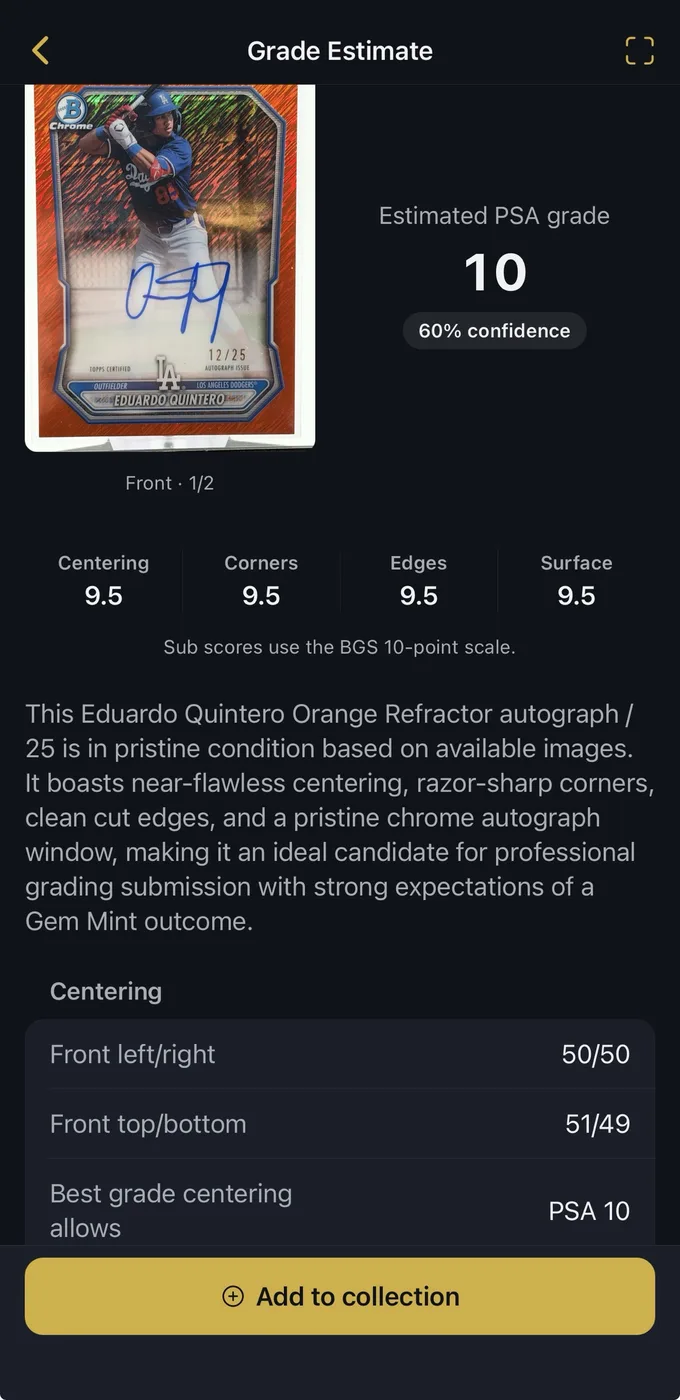
Estimated a PSA 10. 60% confidence, with 9.5 sub-grades for centering, corners, edges and surface.
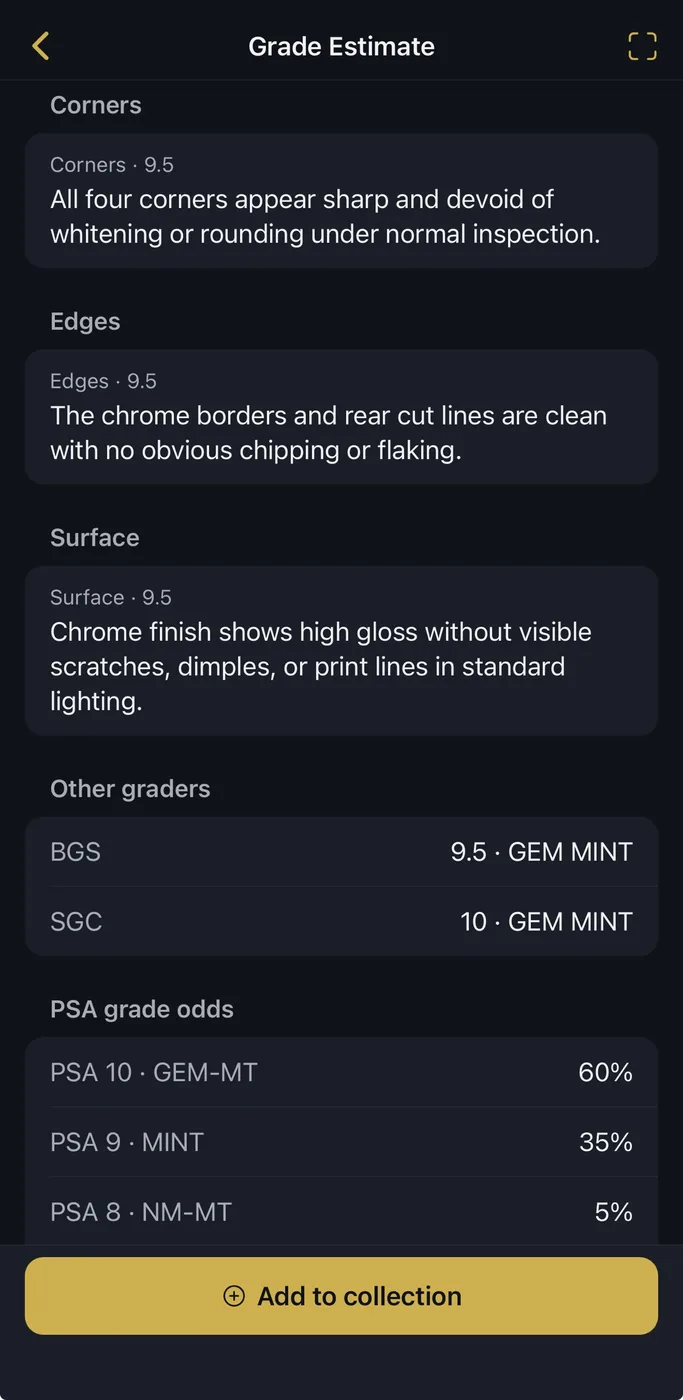
Every grade, weighed. PSA grade odds plus the matching BGS and SGC grades, so a borderline card is easy to spot.
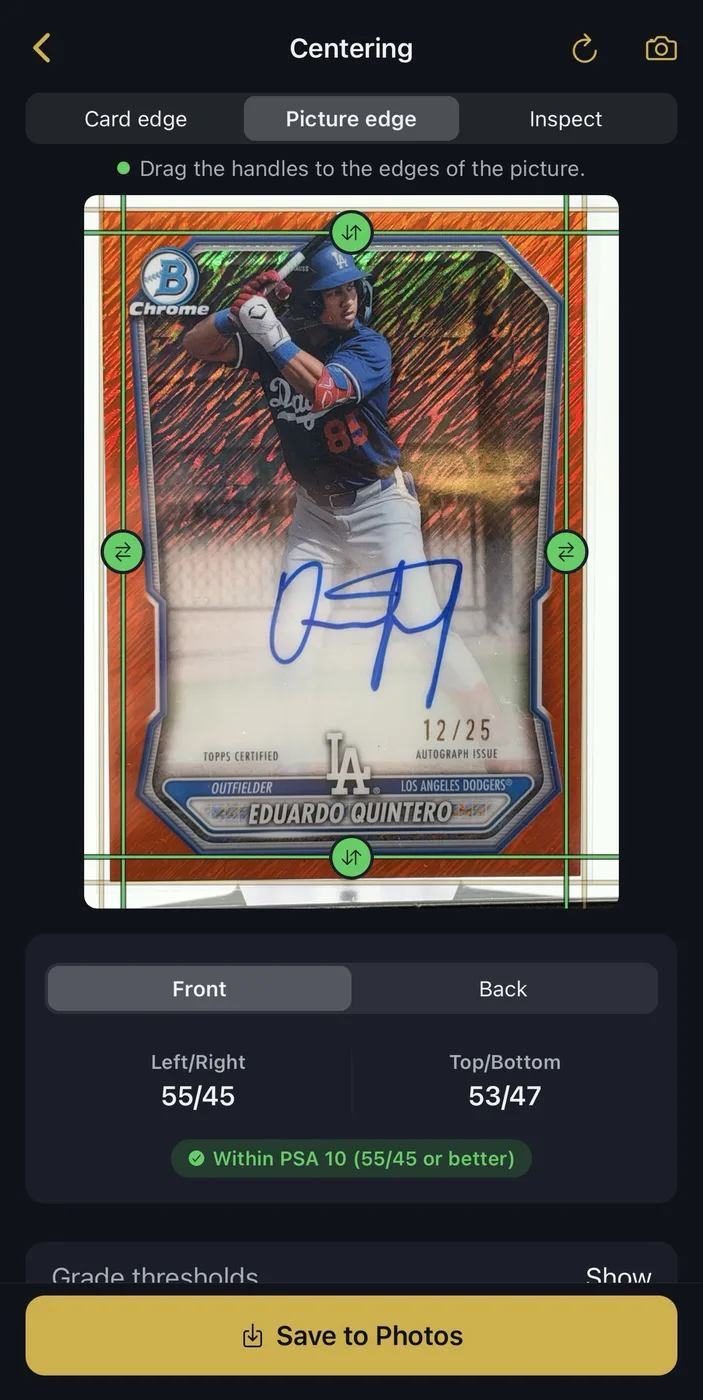
Check centering yourself. Drag the guides to the card and picture edges to read the split, front and back.
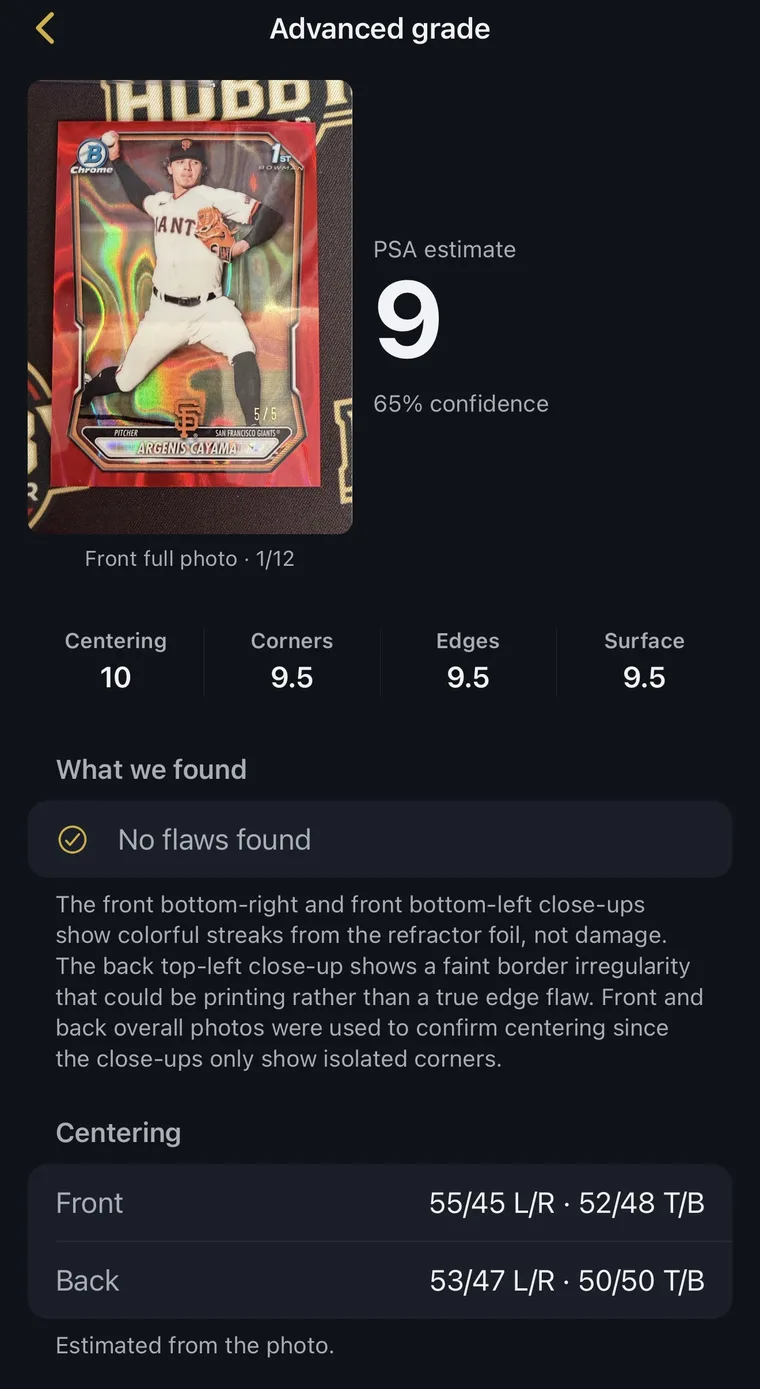
Advanced grade. Twelve photos, close-ups included, for a closer read. This Argenis Cayama /5 came out a PSA 9.
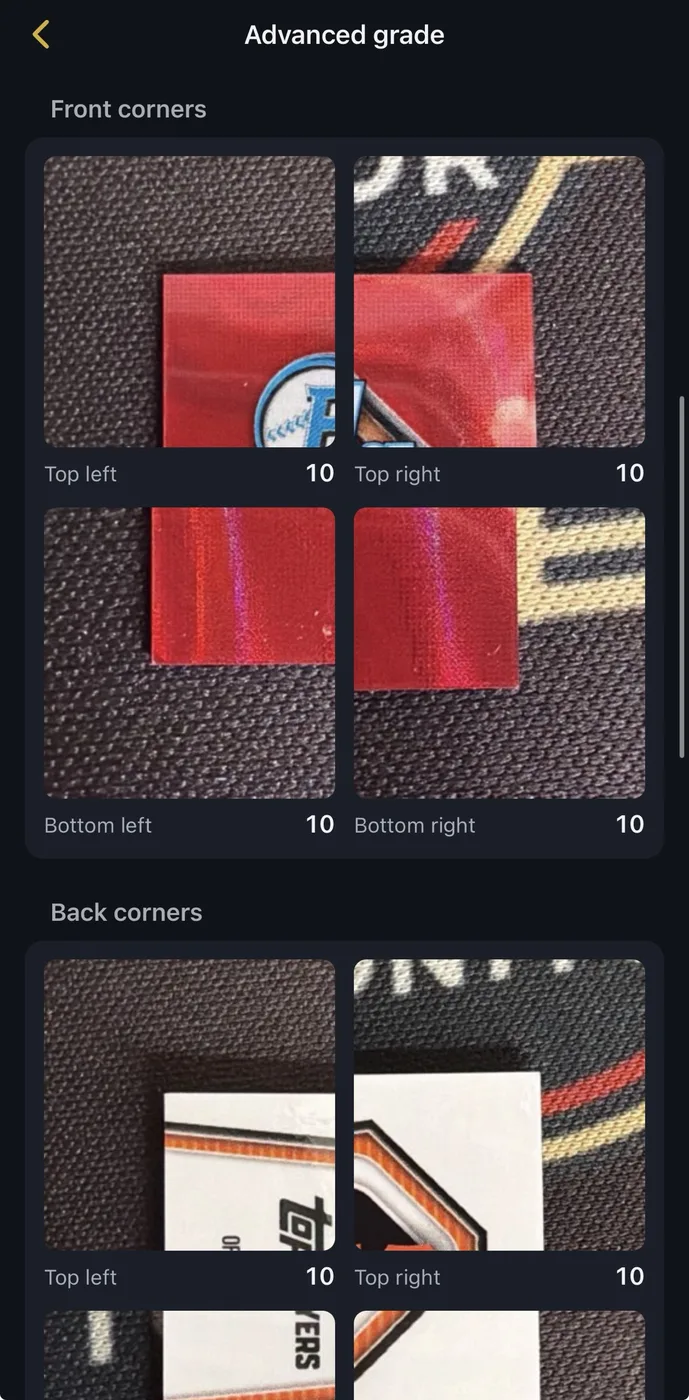
Every corner, scored. Close-ups of each corner, front and back, each with its own score.
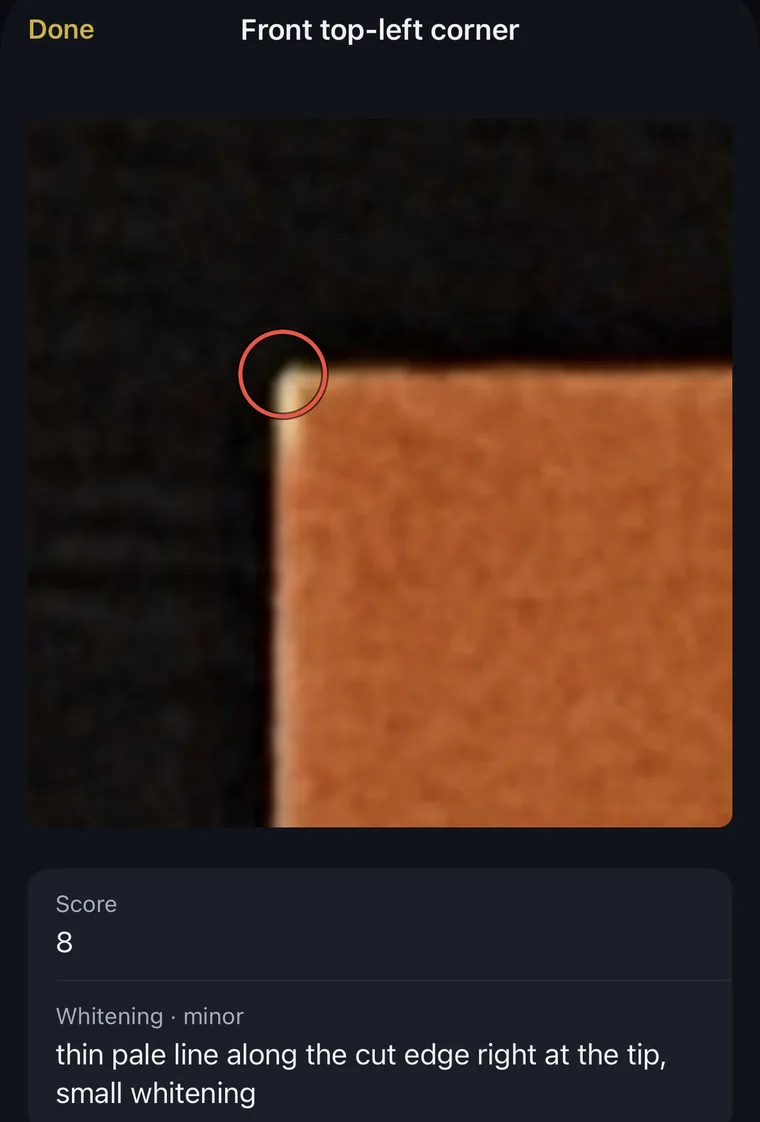
Flaws circled. From a different card: a thin line of whitening at a corner tip, marked on the photo and scored.
How it works
Take a photo
Shoot the front, and the back when you can, in the app or upload one on the web. Even light, a dark flat background and the whole card in frame give the best read.
Get the estimate
A most likely grade with a confidence score, sub-grades for centering, corners, edges and surface, and the odds for each PSA grade.
Look closer before you submit
For a card that matters, run an advanced grade: close-ups of every corner, each one scored, with any flaw circled on your photo.
What every estimate checks
- Centering
- Border widths left to right and top to bottom, front and back.
- Corners
- Soft, dinged or rounded corners, one by one.
- Edges
- Chipping, whitening and rough cuts on all four edges.
- Surface
- Scratches, print lines, dimples, stains and creases.
Grade before you pay to grade.
Grading fees add up fast, and a card that comes back a 7 can be worth less than the fee. A quick estimate shows which cards have the centering and corners for a 9 or 10, so you send those and keep the rest raw.
It helps when buying too. Check a raw card from the seller's photos before you pay a graded-card price, then see what it sells for with Price mode in the same scanner.
AI card grading questions
What is AI card grading?
AI card grading looks at a photo of a trading card and estimates the grade it would likely get from a grading company. HobbyMonitor checks centering, corners, edges and surface, then gives you a pre-grade, sub-grades and a confidence score in seconds.
How accurate is an AI card grader?
An AI pre-grade is a first read on condition, and it is best at spotting the things that cost a card its grade: off-center borders, soft corners, chipped edges and surface marks. It works from a photo, so it cannot authenticate a card or catch every flaw a grader sees with the card in hand. Use it to decide what to submit, not as a final grade.
Can I grade cards with my phone?
Yes. Use the HobbyMonitor app on iPhone or Android, or the scanner on the web. For the best result, shoot in even light on a dark, flat background, hold the phone parallel to the card, and keep the whole card in frame. Photograph the back too when you can.
How much does AI card grading cost?
The free plan includes 5 scans a month. Premium ($5.99/month) includes 250 and Pro ($12.99/month) includes 750, shared across grade, price and add scans.
Does an AI grade replace PSA, BGS or SGC?
No. PSA, BGS and SGC examine the card in hand, authenticate it and seal it in a holder, and that grade is what buyers pay for. An AI pre-grade helps you pick which cards are worth those submission fees and which to keep raw.
What is an advanced grade?
An advanced grade takes a closer look at one card. You shoot a set of photos, including close-ups of every corner, and each corner and edge gets its own score. Any flaw it finds, like whitening at a corner tip, is circled on your photo, and front and back centering are measured.
Which cards can I grade?
Modern and vintage cards from every sport, plus non-sport cards. Raw cards in a penny sleeve or top loader work too, as long as glare does not hide the surface.
Open the scanner or compare plans.